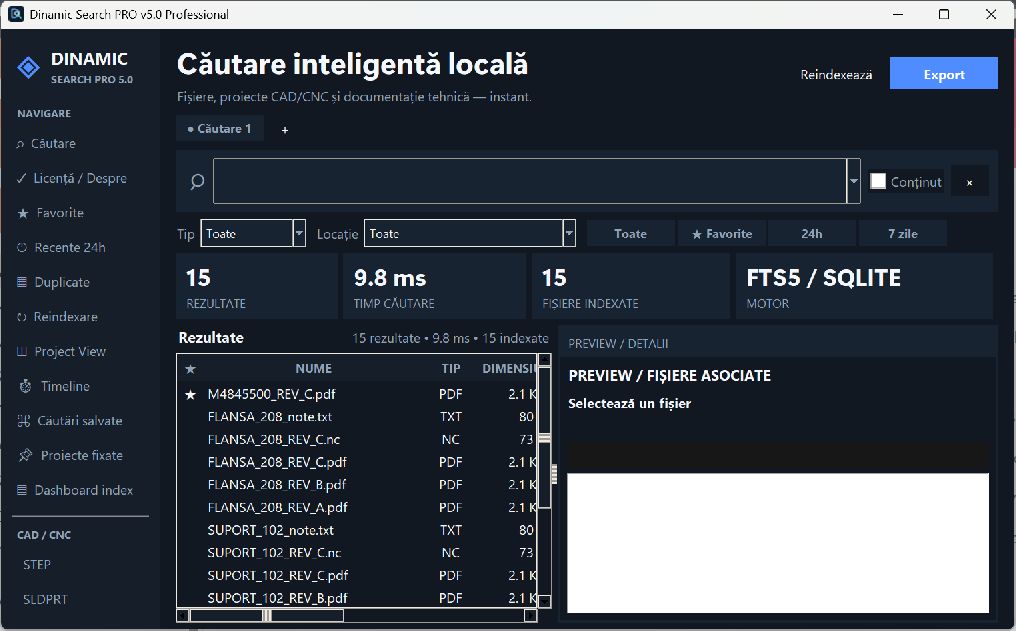
Retrieves PDF, Word and Excel documents for verification, then saves the data to an operational ledger.
NEW · INDUSTRIAL STOCK WMS / MRP
Materials, batches, certificates and projects in a local system.
Control for stock on hand, batches, 3.1 certificates, charges, scrap, BOM, supply, inventory and labels. Price on request.
What QUANTCAD TITAN does
From CAD file to deliverable landmark in a controlled flow.
Manually calculating bids for machined parts is time-consuming and can lead to errors that affect profitability. QUANTCAD TITAN centralizes the process flow, materials, energy, direction, profit margin, treatments, transport and packaging in a clear, professionally calculated offer.
Import & recognition
Import STEP, batch and SolidWorks sources; recognition for plate, flange/disc, round and square pipe.
Real cost control
Material, energy kWh, overhead, profit margin, treatments, transport and packaging in one calculation.
Complete technology flow
Setup, milling, turning, CMM control and deburring managed directly from the interface.
2D nesting
Simulation and optimization on standard sheet metal for better material utilization.
Professional offer
Centralized lists of milestones and quick export of clear offers in PDF, Word and CSV.
Commercial Licensing
License linked to a workstation with HWID activation and simple extension.
CUSTOM CONFIGURATION
QUANTCAD TITAN FOR YOUR WORKSHOP
Licensing and deployment services are determined by workstations, technology flow, and level of support required.
REQUEST OFFER →DESKTOP APPLICATION FOR ORDERS AND DELIVERIES
LOCAL DATA · ADAPTED CONFIGURATION
OrderFlow
OrderFlow transforms order documents into a local, clear and easy-to-follow ledger. The team works with orders, milestones, quantities, documents, deadlines and delivery status in one place.
PDF · Word · Excel→local registry→terms & delivery
You identify orders in progress, delivered, late or at risk and prioritize the team's actions.
You can process documents locally or through an AI provider configured by your company, depending on your privacy requirements.
ADAPTED IMPLEMENTATIONFlow analysisWe start with real documents, milestones, operations, timelines and team responsibilities.
REQUEST DEMO →VALIDATION WITH THE TEAMAdapted demonstrationWe test the flow with real cases and configure the necessary work fields.
REQUEST DEMONSTRATION →OPERATIONAL CONTROL · LOCAL DATA
Orders, production and deliveries in one flow.
Without a single ledger, orders end up in emails, Excel sheets, folders and chats. Deadlines become difficult to verify and the team is working with different information.
OrderFlow centralizes order data, milestones, materials, quantities, deadlines and deliveries. The operator verifies the imported data and the application keeps a history of corrections.
PRESENTATION OF ORDERFLOW
See OrderFlow in action.
A planning, control and decision tool for modern manufacturing, with operational information kept in one place.
Request a demonstration on real documents. We analyze the current flow, check the import and configure the right scenario for your team.
LOCAL DESKTOP APP · VERSION 3.3.0
30 DAY TRIAL
DYNAMIC GRID INDUSTRIAL SUPREME
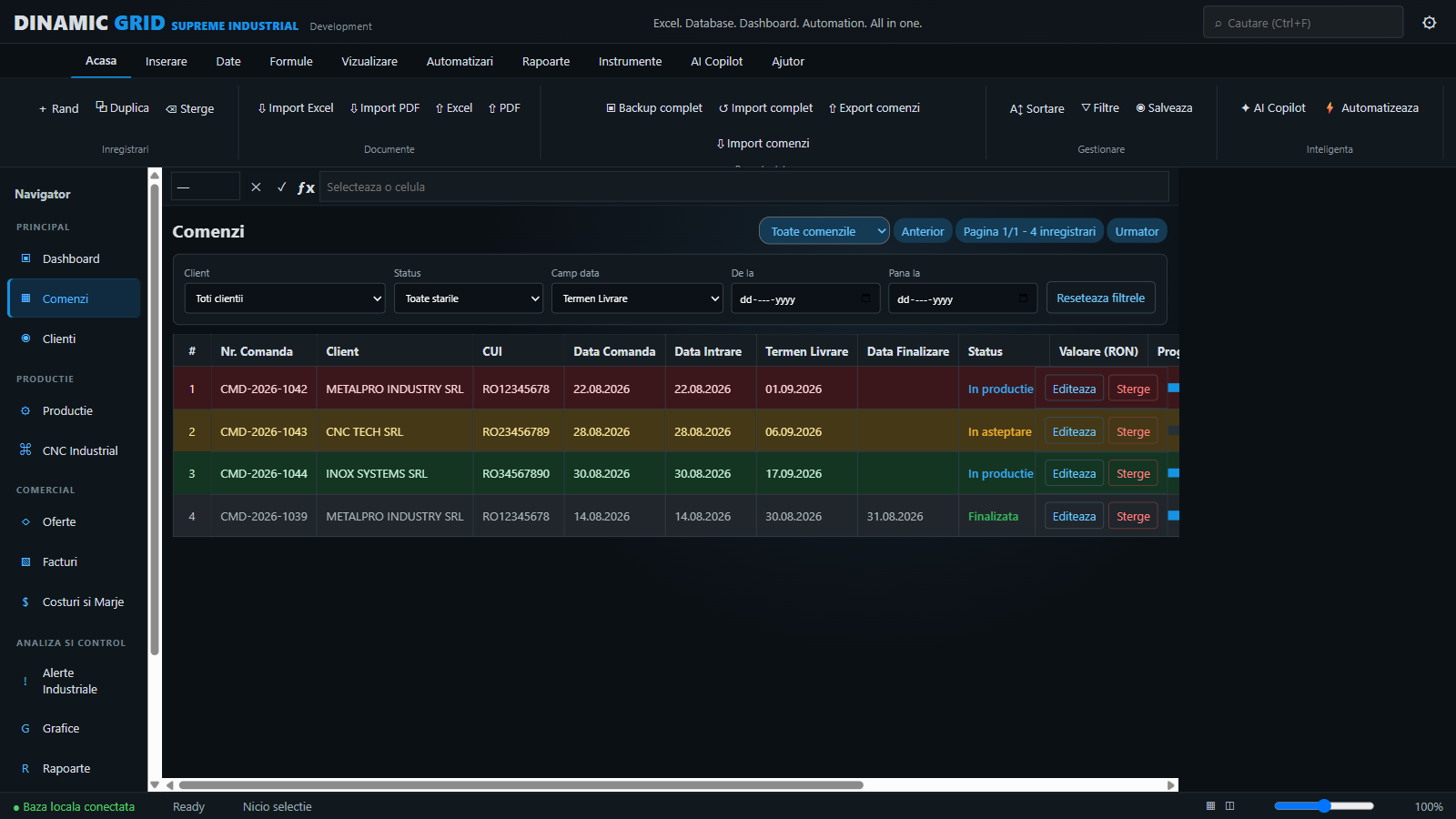
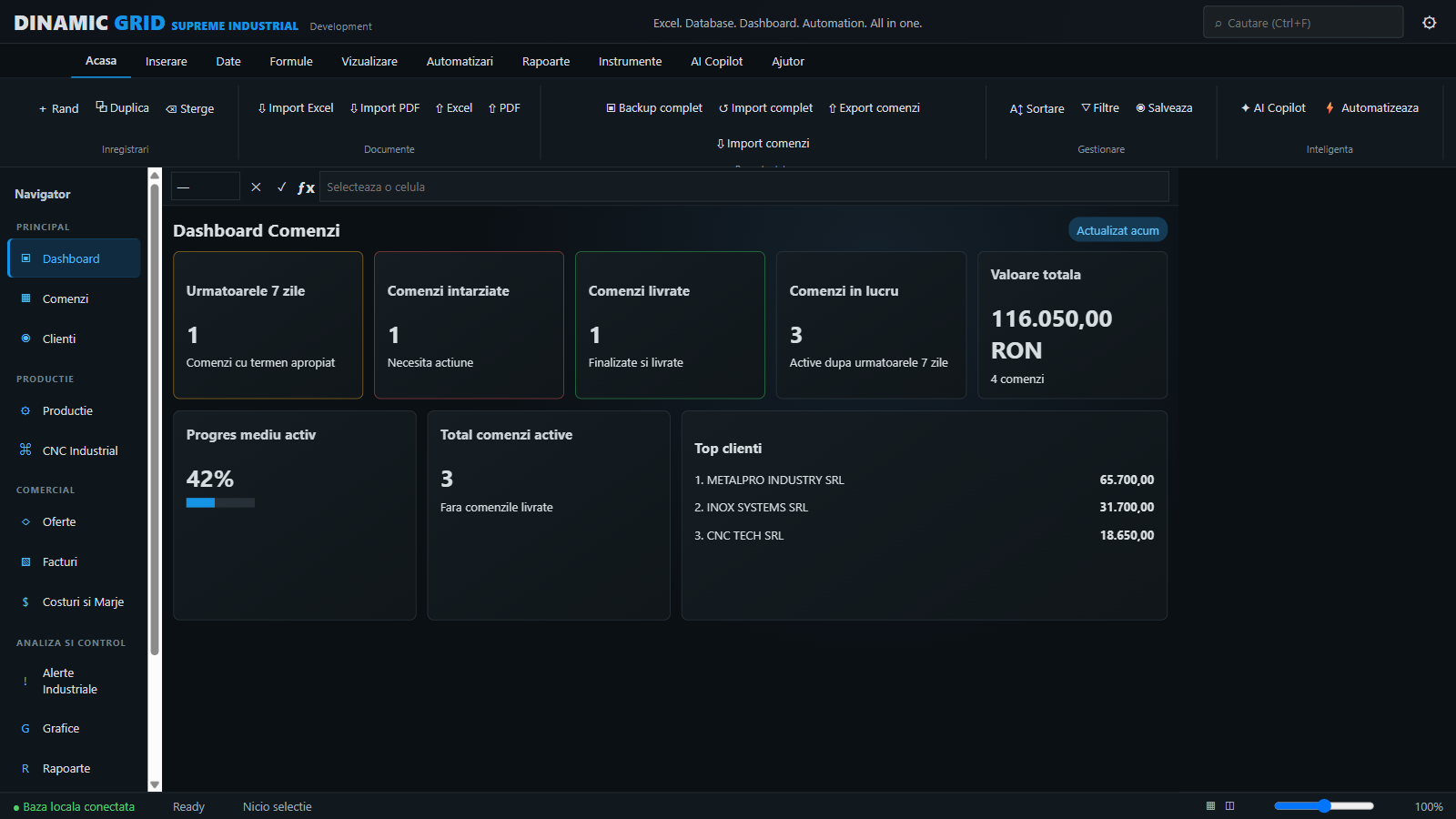
DINAMIC GRID centralizes production orders in a single ledger and replaces disparate sheets, parallel lists and manual checks. The team quickly sees what's pending, in production, delayed or completed, then filters and reports the information without losing control of local data.
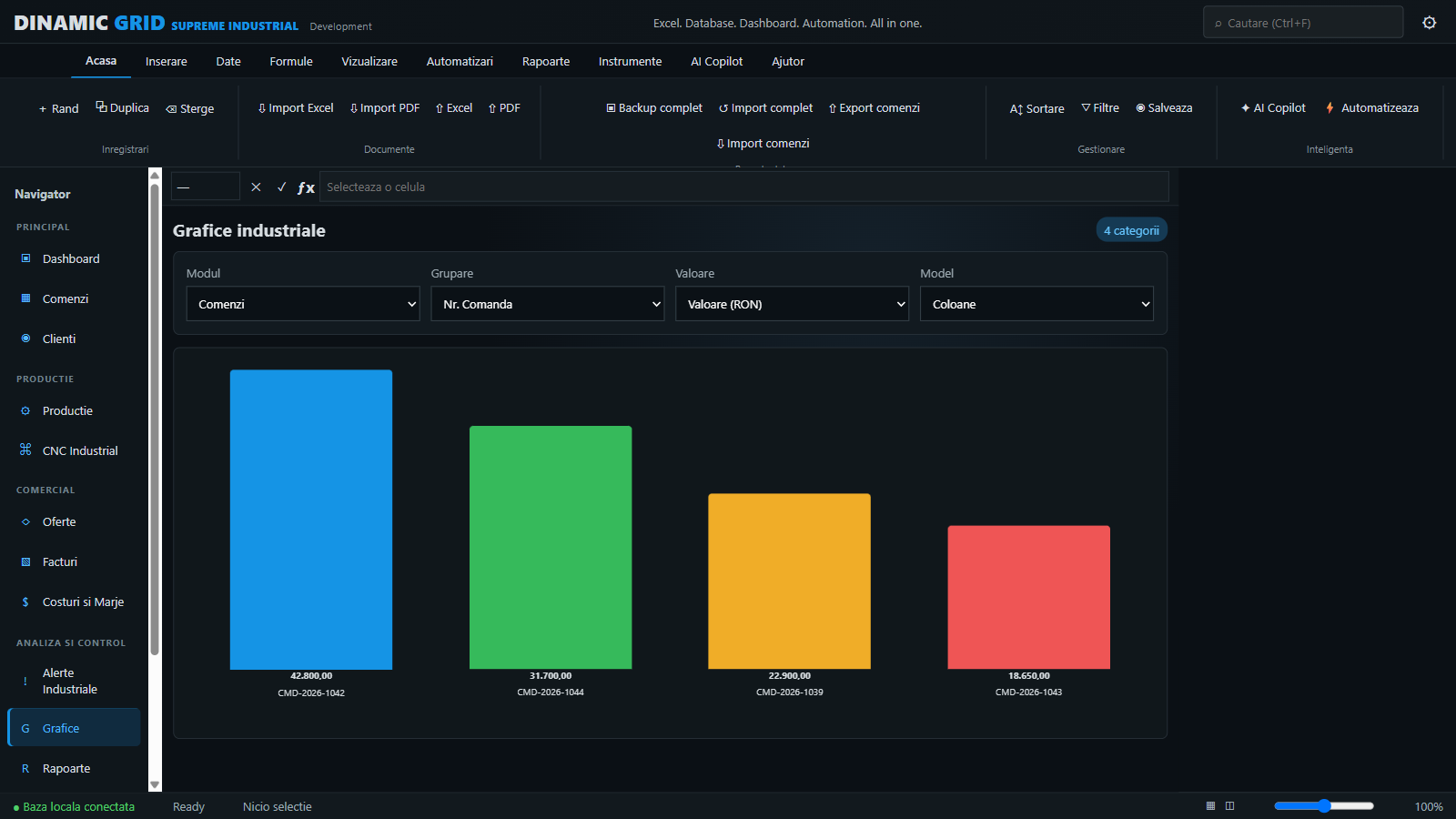
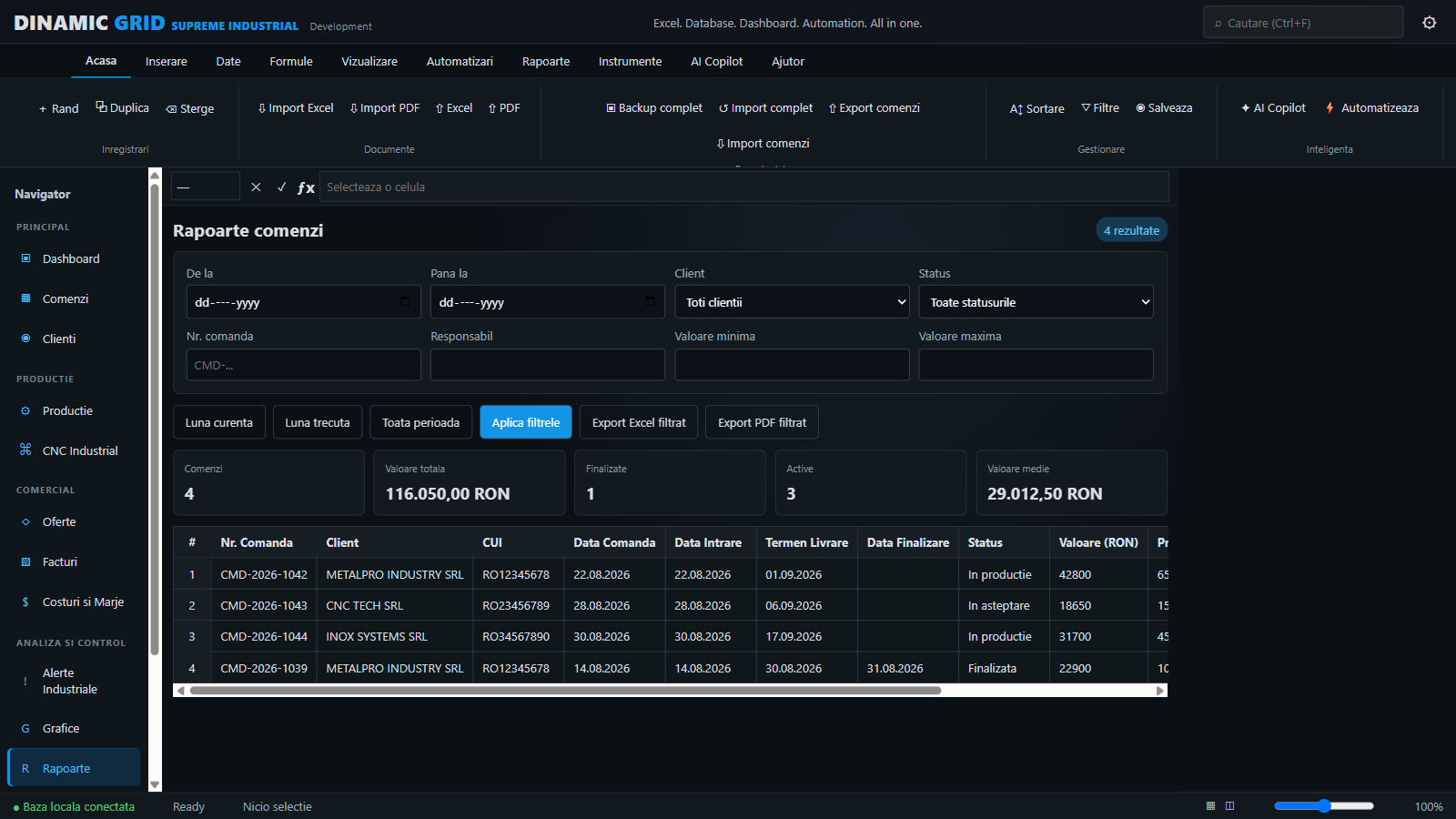
orders & customers→visual priorities→dashboard & reports→controlled backup
It centralizes orders and customers in a clear local basis, suitable for daily use in the industrial environment.
Filter simultaneously by customer, status and date range: date of order, entry, term or completion.
Red for delay, yellow for the next 7 days, green for work in progress and gray for delivered orders.
The indicators immediately summarize the workload, the orders close to the deadline and the situations that require intervention.
Compare order value by customer, status or period for a quick overview of activity.
Prepare reports on the selection you want before exporting so that the information provided remains accurate and useful.
The local AI component can analyze commands directly on the device. The AI provider and key can be changed later when the configuration requires it.
Exports the database in the dedicated .DGO format, versioned and protected with a SHA-256 checksum, then verifies the file before import.
Can combine records by order number and update duplicates. The replacement of the existing list is done only after explicit confirmation.
30-day operational pilotTest on real commands, validate filters and reports, then verify backup and recovery before activation.
REQUEST DEMONSTRATION →
01 / SEND A MARK
STEP + material data
02 / DEMONSTRATION
Import, recognition, estimation
03 / SOLUTION
Setup suitable for the workshop
04 / OFFER
Custom business response
QUANTCAD · AI PLATFORM FOR PRODUCTION
UNDER DEVELOPMENT · DESKTOP PLATFORM PREVIEW
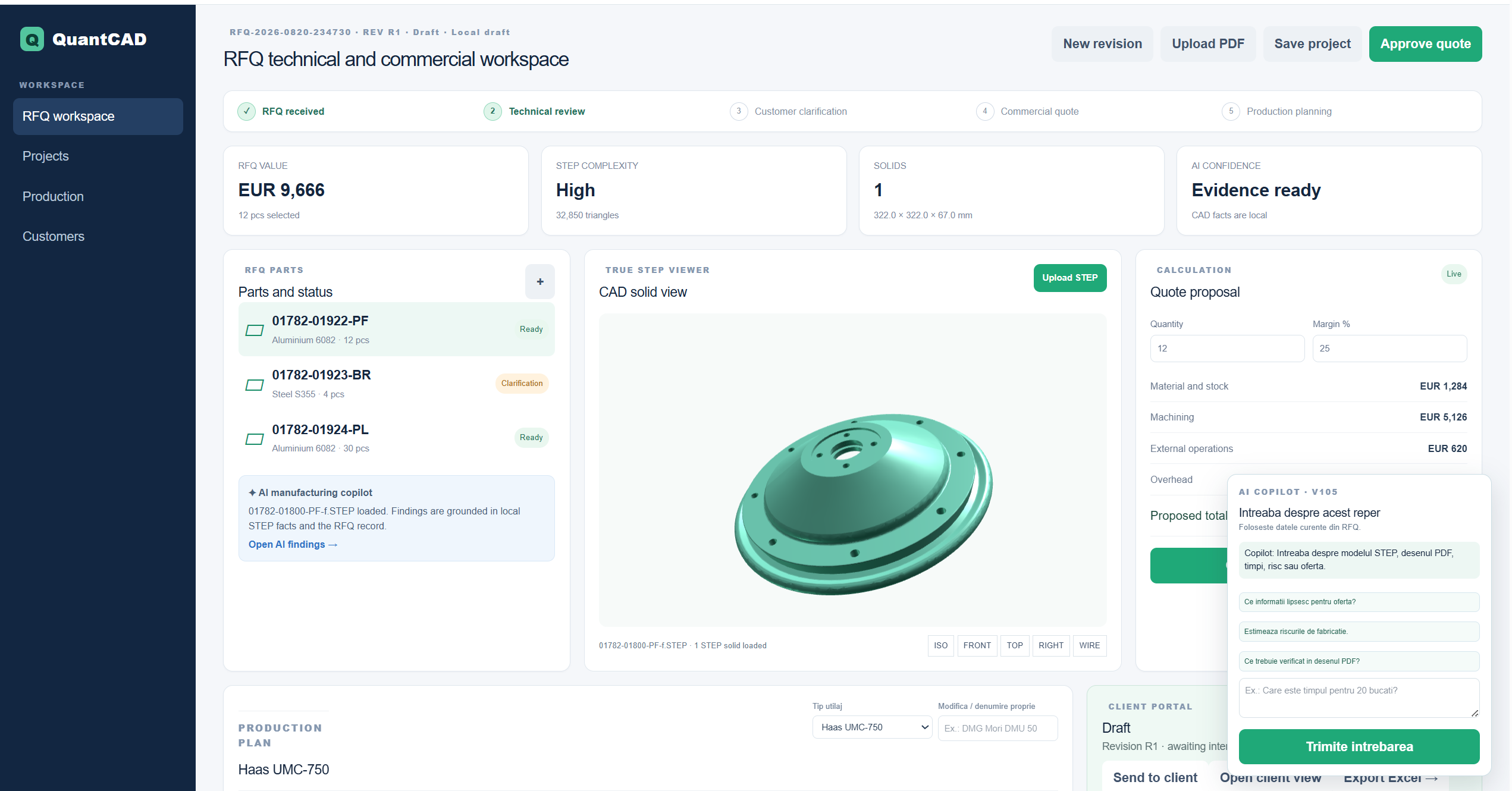
RFQ, Quotation and production decision in a single workspace.
Preview next-generation QuantCAD: a desktop platform for teams that review RFQs, technical documents, and CNC benchmarks before bidding and going into production.
- Import STEP and PDF, automatically associated on the landmark
- Technical analysis with evidence from uploaded files
- Estimating manufacturing operations, times and risks
- Controlled trading scenarios: Win, Balanced, Protect
- Reviews, offer, client portal and traceability
- AI assistant for part, drawing and quote questions
Want to see QuantCAD's direction for your workshop?Request a chat and we'll set up the demo around your bidding and production workflow.
REQUEST DEMONSTRATION →AI QuantCAD platform is presented as development direction. Features and commercial availability are determined by project configuration.